As Marshall McLuhan wrote, “the medium is the message.” When you’re preparing LinkedIn posts, it’s important to think about how the form will serve the message. LinkedIn supports many different post types, giving you variety when it comes to meeting your different marketing objectives. In this article, we’ll go through a few popular formats, which purposes they’re best suited for, and review some real-world – or virtual world? – examples.
Document/Carousel Posts
A popular format for LinkedIn posts is the carousel format. This format is when users flip through something that looks like a slideshow or a flipbook. Even though this format was officially removed by LinkedIn less than a year after its launch, according to Hootsuite, this format gets five times more clicks than other formats do. The way that people utilize this format today is by creating a “LinkedIn document post.”
All you have to do is create a PDF and upload it to LinkedIn.
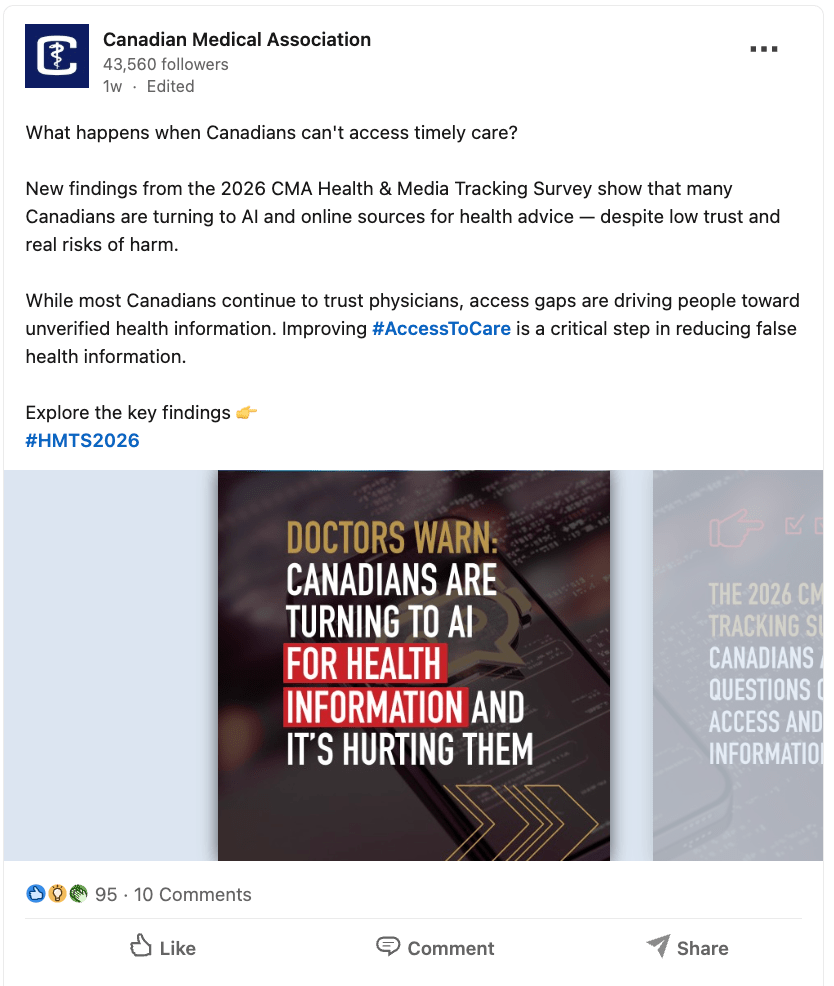
This type of posts is best suited for sharing step-by-step guides, “how-to” content, checklists, and data presentations. Consider the example from the Canadian Medical Association below.
They are making a point about why more Canadians are turning to AI to get healthcare advice despite the fact that healthcare advice from AI carries low trust and real risks of harm.
Firstly, the CMA is doing a few very smart and strategic things here. First, they’re not putting the blame on patients. They’re point out that this is because of lack of access, which means that the audience that they expect to take action (and therefore the audience that they’re putting the responsibility on) is not patients, but (presumably) the government. This, in turn, gives patients the language they need to advocate for change with their elected representatives.
Secondly, the CMA is practicing what it preaches. They are appealing to trust by showing the statistics from a recent study and then providing that information to their target audiences (elected officials and the people who vote for them).
A carousel post is suitable for this objective because it makes it easy to get a high level understanding of the data around this problem if you’re in their target audience. On the other hand, asking someone to click away to a more extensive report first introduces friction.
Source: Canadian Medical Association LinkedIn Page
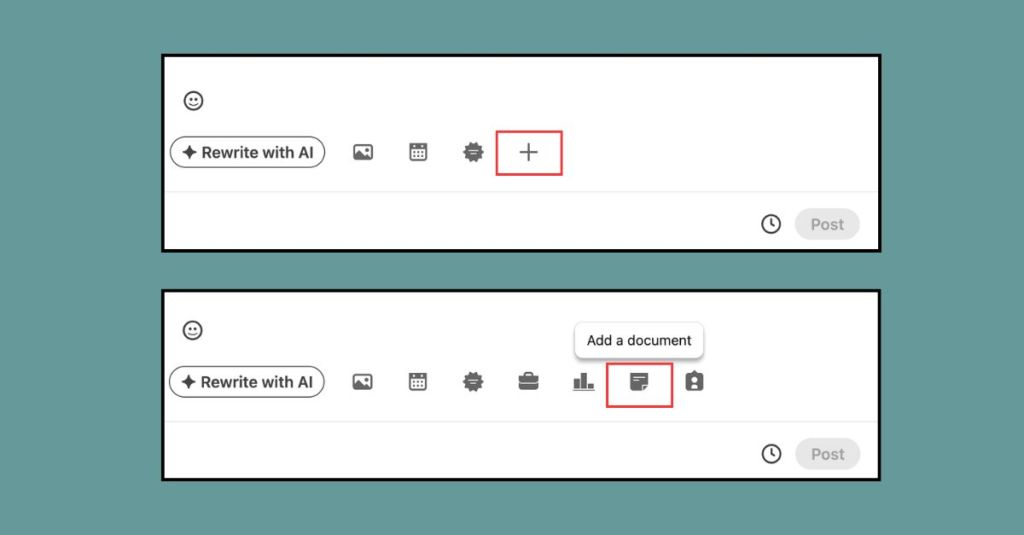
You can upload a document by clicking on the following:
Native Video Posts
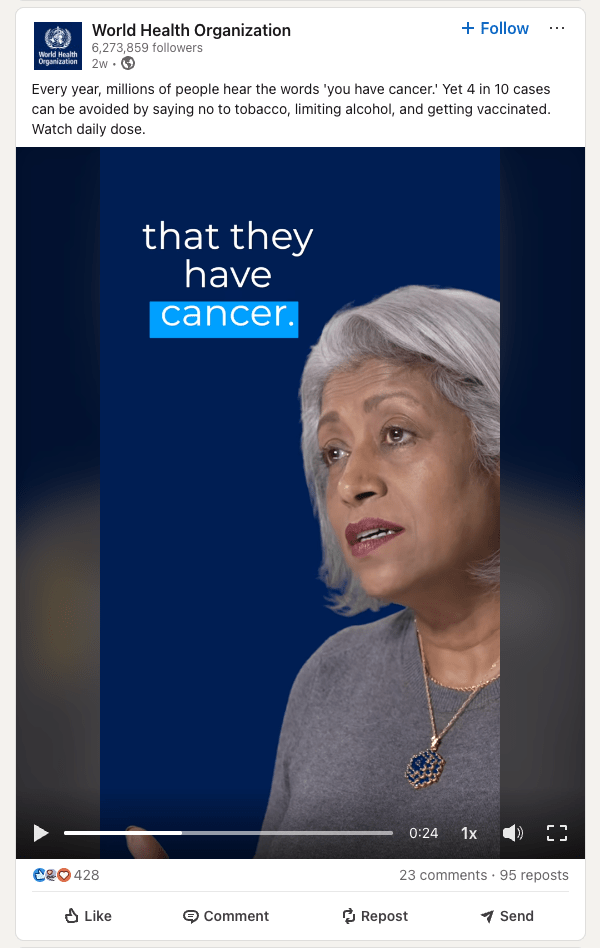
Video posts on LinkedIn earn 3 times more engagement than text posts. For mission-driven organizations and public sector communications, awareness and engagement are essential. Consider the following example from the World Health Organization.
This video is about how you can reduce your chances of getting cancer. It is a video with text and data slides, and it also includes visual elements that keep the video engaging as well as the credibility of a medical professional. Adding the visual elements and graphics for the data is something that you can easily do in Canva.
This type of content is best for telling, sharing a brief tutorial, or showing behind-the-scenes content. For mission-driven organizations or public sector communications, it’s a useful for sharing dynamic content about a difficult topic in a respectful way, motivating an audience to take action through the use of music and visuals, or persuading people to engage in behaviour change by sharing a message from someone with high credibility and expertise.
Source: World Health Organization LinkedIn Page
Text-Only Posts
While it may seem like short-form video content and splashy graphics are the only way to go these days, there is still a space for text-only posts particularly when it comes to sharing industry insights or thought leadership. They’re best suited for posts from individual LinkedIn profiles who have high credibility or a big audience.
When you’re writing these posts, you can write about 1,800 to 2,100 characters.
Consider this LinkedIn post from Prime Minister of Canada and Leader of the Liberal Party Mark Carney’s LinkedIn page.
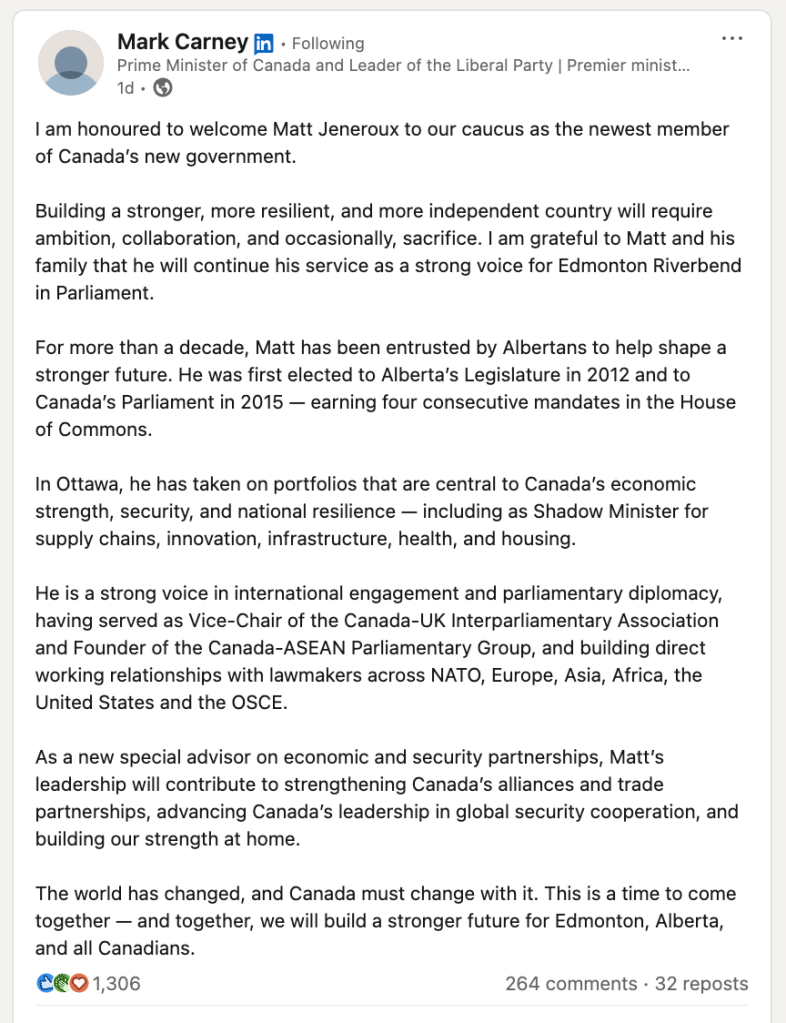
Source: Mark Carney LinkedIn page
The post is about an MP who has crossed over from the Conservative Party to the Liberal Party. It’s a big decision for an MP to switch parties, so the Prime Minister’s post leads with humility by saying that he is “I am honoured to welcome [him] to our caucus as the newest member of Canada’s new government.”
Continuing with the theme of humility (since this is coming from his personal page) he moves to what this move means for the country and the country’s goals by stating “building a stronger, more resilient, and more independent country will require ambition, collaboration, and occasionally, sacrifice.” This keeps him on message (Build Canada Strong) and connects individual choices to the greater good, which is a key part of his government’s narrative strategy around geopolitical challenges.
Image Posts (Single or Multi-Image)
Another option for LinkedIn posts is static images, particularly multiple images shared as a gallery. This is useful for when you want to impart a feeling on your audience. This could be a feeling of community, missing out, or a sense of anticipation. Posts that are highlighting company culture, launching a product, or sharing photos of a recent event (often to promote an upcoming one!) are great candidates for the single or multi-image format. Consider the below post from The British Library.
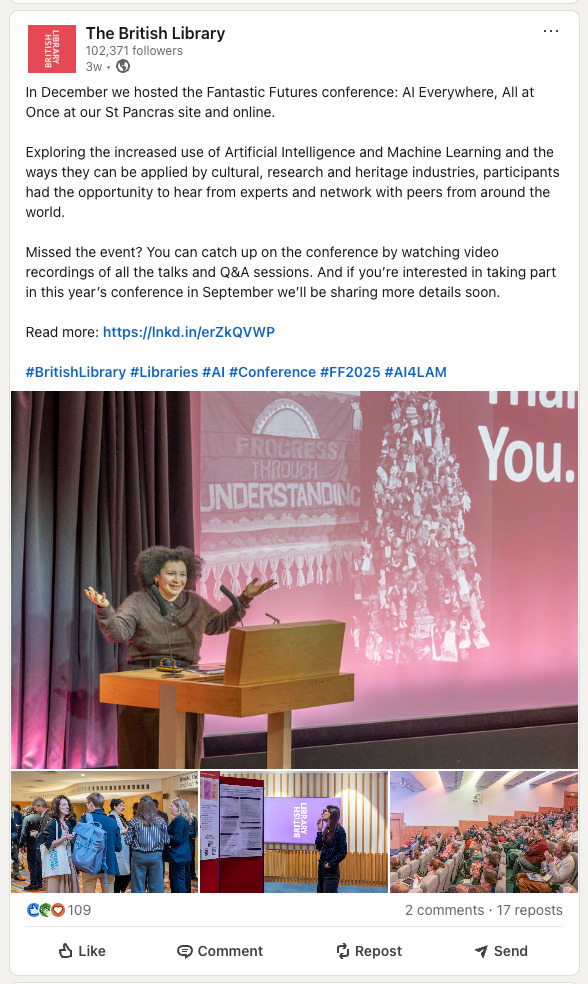
Source: The British Library Social Media Page
This post highlights a recent conference, “The Fantastic Futures conference: AI Everywhere, All At Once.” The photos show a speaker thanking the crowd, people mingling, people looking at displays, and a full audience. This shows the viewer that things are happening at the British Library and that other people attend the British Library, demonstrating that both learning and socializing are possible here.
LinkedIn Polls
Another option that offers high engagement – and also a learning opportunity for your team – is LinkedIn polls. Polls can help you gather feedback from your audience about their opinions on a certain topic. They can help you conduct market research. And in some cases, they can be a quick way to engage your audience and see who’s really seeing and reading your posts.
Polls ideally have one clear and concise question and they run for one week before they close. It’s also a good idea to include an Other option that prompts people to comment below, which can drive conversation.
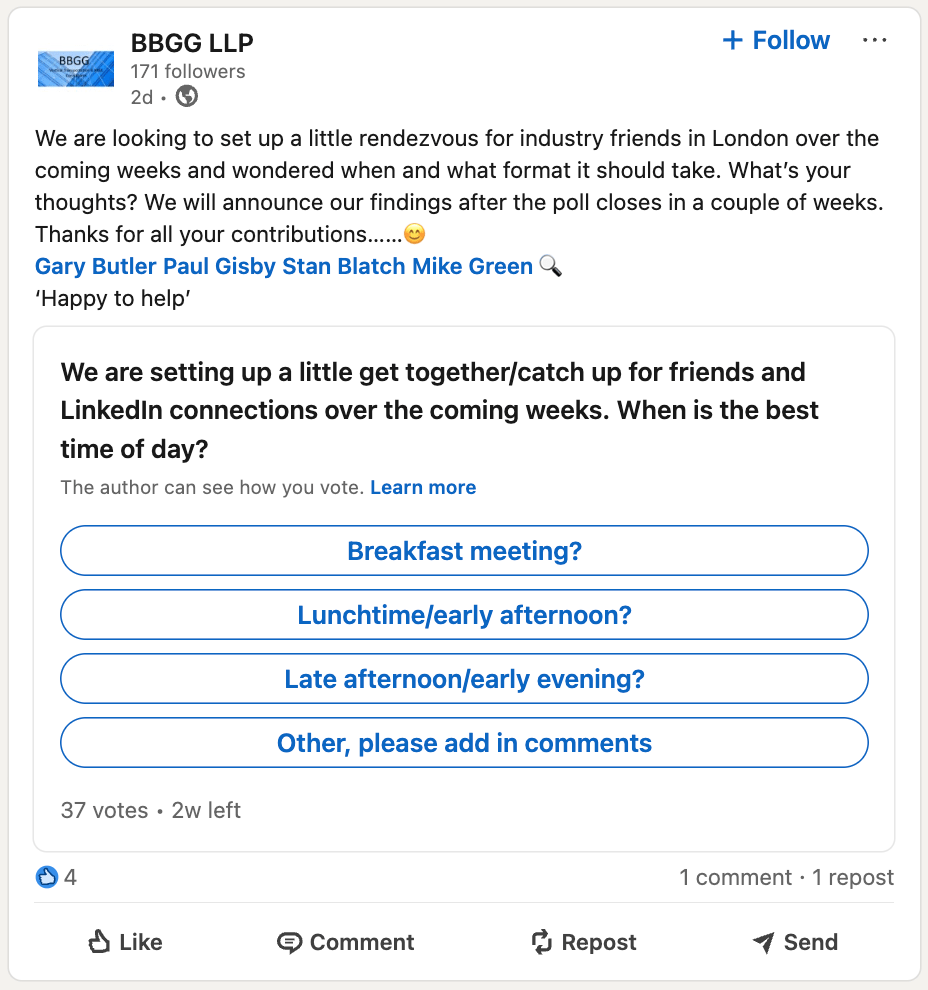
Source: BBGG LLP
Articles and Newsletters
Finally, there’s the option of sharing native articles and newsletters. These are great for sharing high-value educational content and (in the case of newsletters) incorporating yourself into people’s routines.
Knowing the different LinkedIn formats and their purposes can help you build a sustainable presence for your mission-driven or public sector organization
Coming up with content to post regularly – or knowing what and how to post – can feel daunting and overwhelming. Understand LinkedIn and what individual posts are best suited for can help you take a disciplined and strategic approach to communicating your organization’s message.
 torontodiscursive.com
You must be logged in to post a comment.